INDUSTRY:
Public Utilities
CLIENT:
TXU Energy
Transfer of Service
47%
10-20 minutes
About.
When TXU Energy customers moved to a new home, they were often left wondering when their new service would start or when the old address would disconnect. The existing system provided no visible status updates post-submission, leaving customers anxious and turning to the call center for help.
This project aimed to reduce that uncertainty by introducing a visual progress tracker at the top of the My Plan page — allowing users to track their transfer from start to finish, directly from the website.
Overview.
The lack of visibility into service transfer status resulted in a surge of calls to support, even for basic questions like:
“Has my transfer order gone through?”
“When will my electricity start at the new address?”
“Is my old place disconnected yet?”
By embedding a real-time visual tracker into the user dashboard, we empowered users to check the status of their transfer without needing to call.
Identifying Areas of Improvement.
Reduce call center volume related to transfer status inquiries
Build customer trust by keeping them informed with real-time feedback
Provide a simple, scannable visual that clearly shows what stage the transfer is in
Increase user confidence and reduce frustration during the move process
Challenges.
Ensuring transfer status updates were reliably synced from backend systems
Designing a compact component that wouldn’t clutter the My Plan screen
Displaying four transfer states clearly without overwhelming the user
Balancing clarity with system limitations (e.g., exact time estimates unavailable)
My Role.
UX/UI Design Lead for the Transfer Tracker module
Mapped out the transfer journey states and copy with business owners
Created wireframes and final UI mockups for desktop and mobile views
Collaborated with dev and operations to map backend states to frontend indicators
Participated in design QA and refinement after testing
Design Solution.
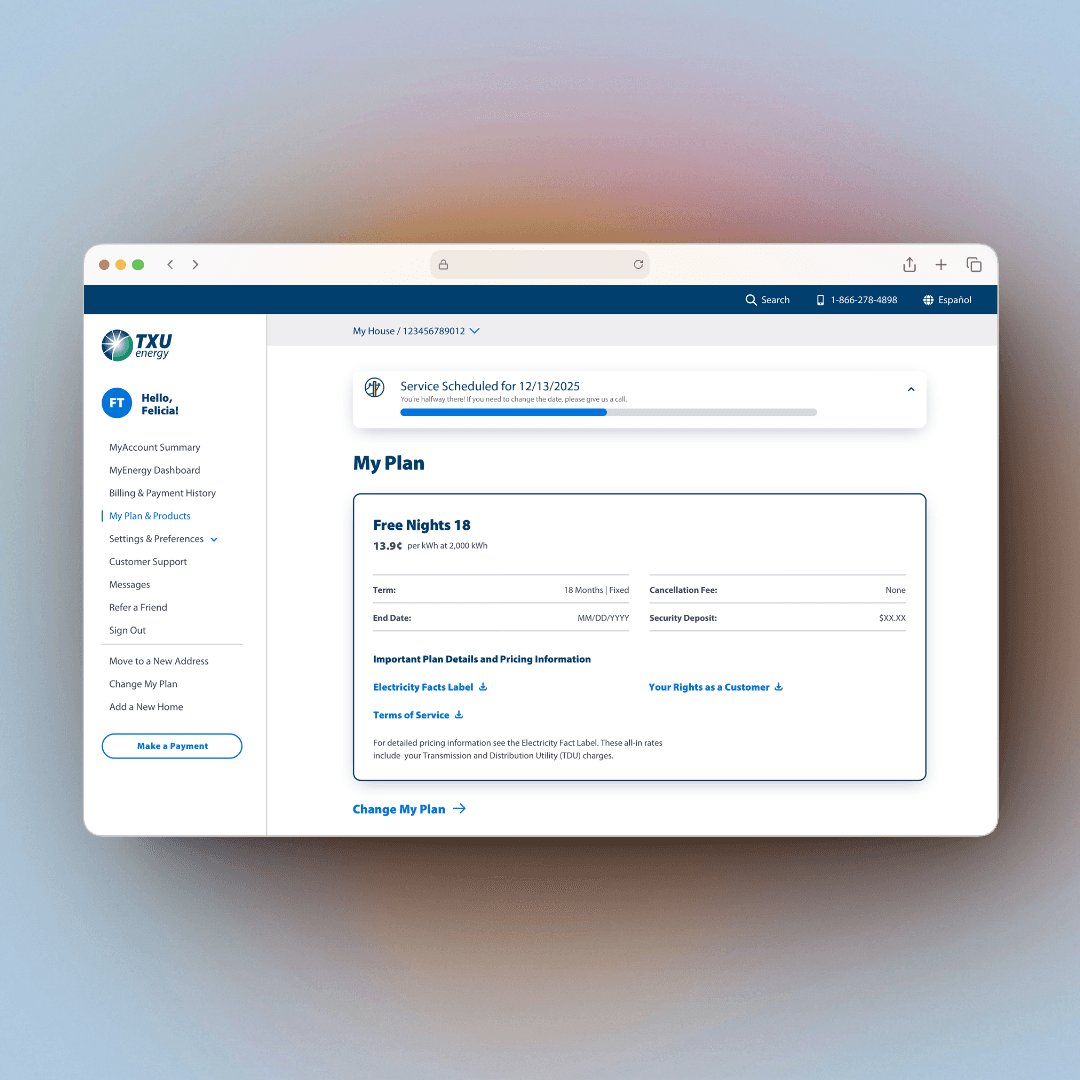
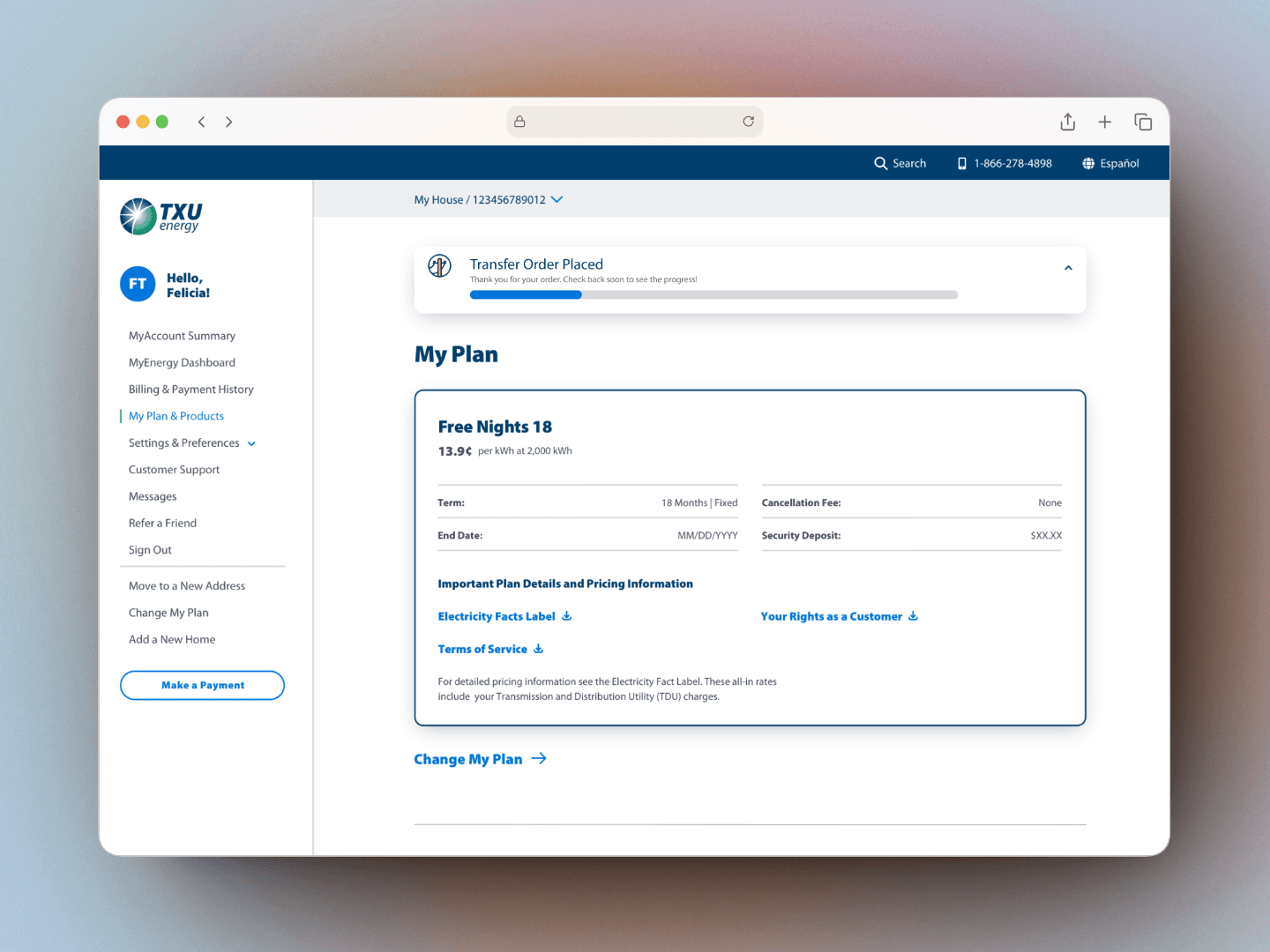
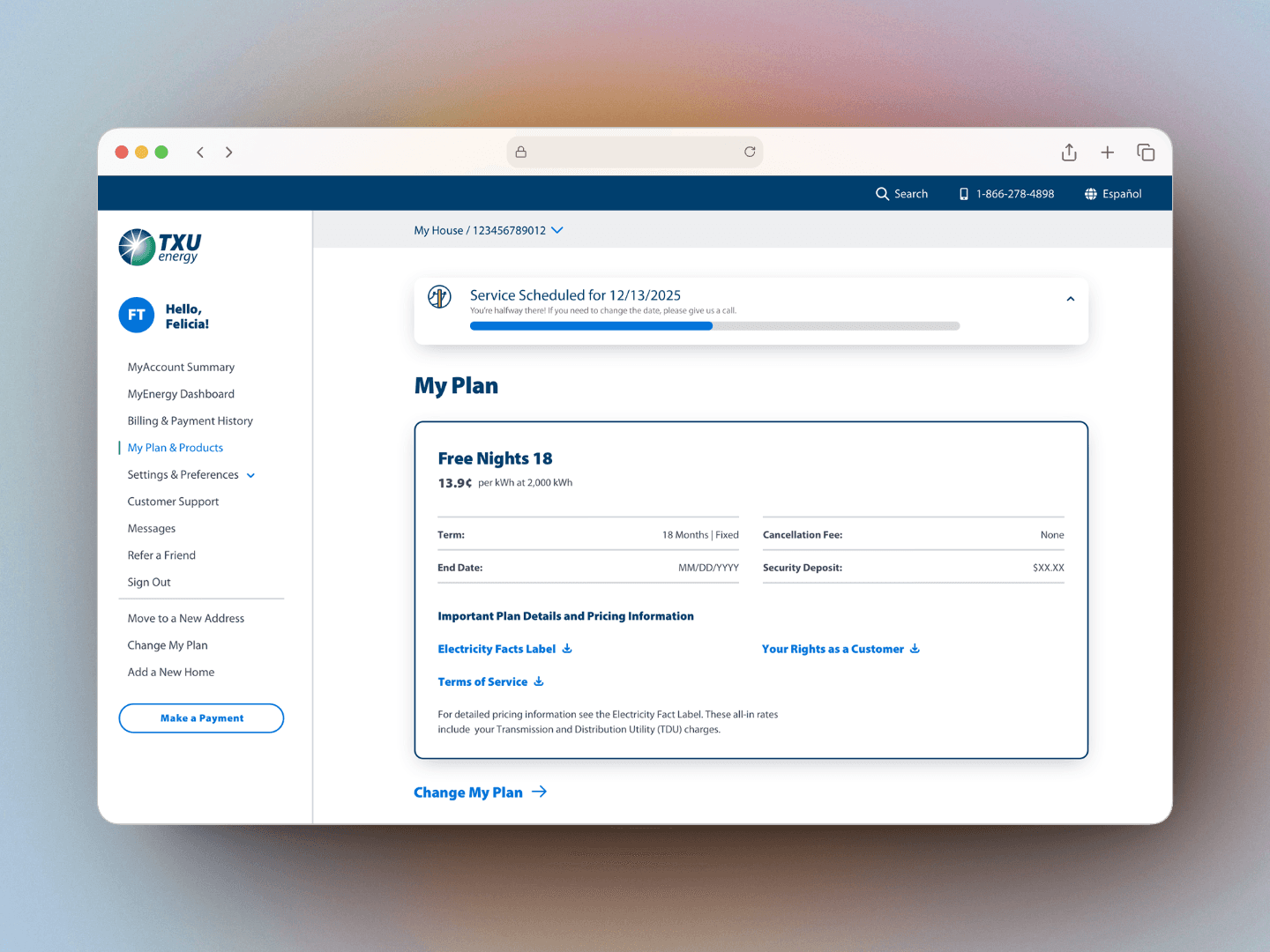
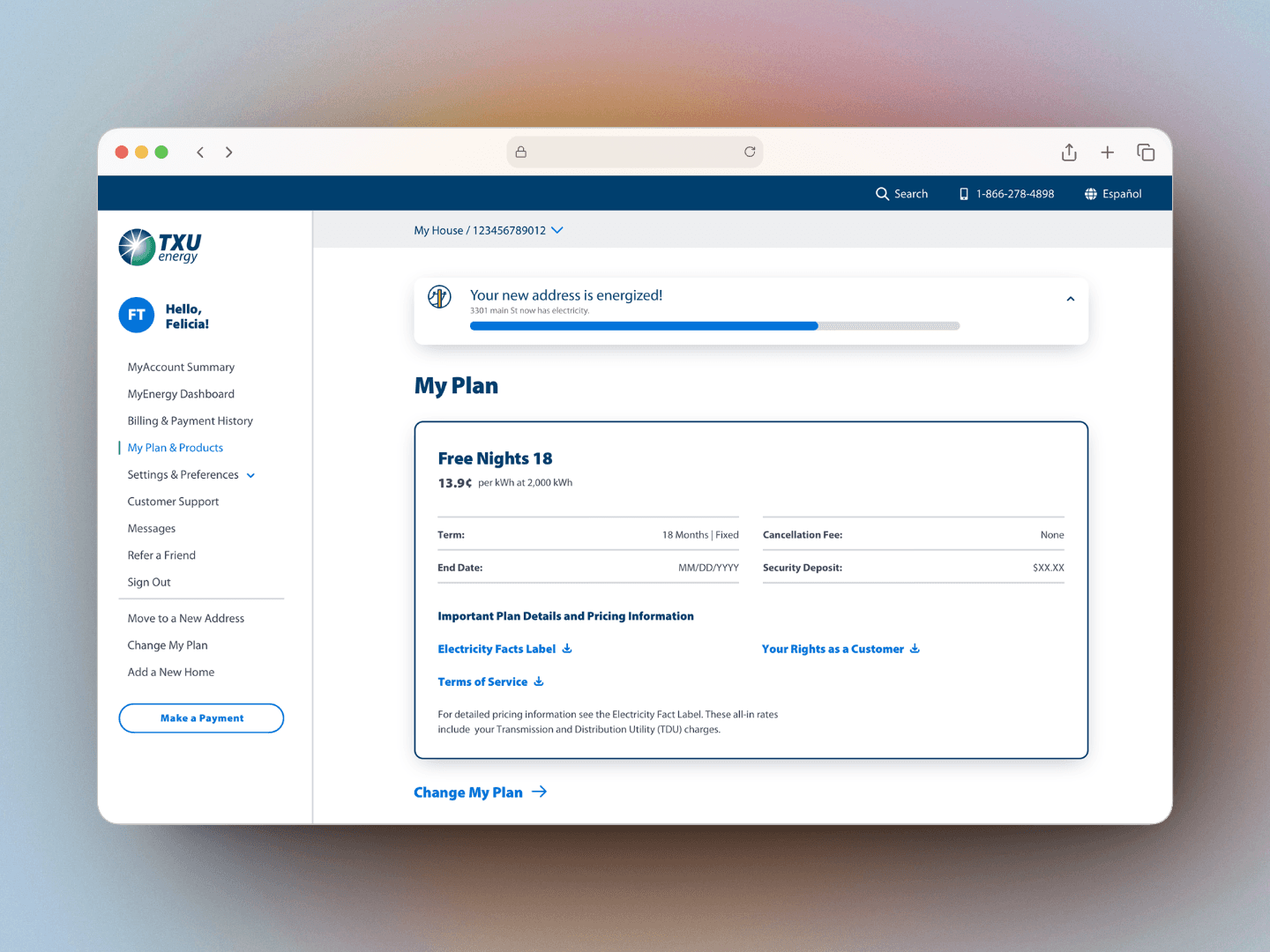
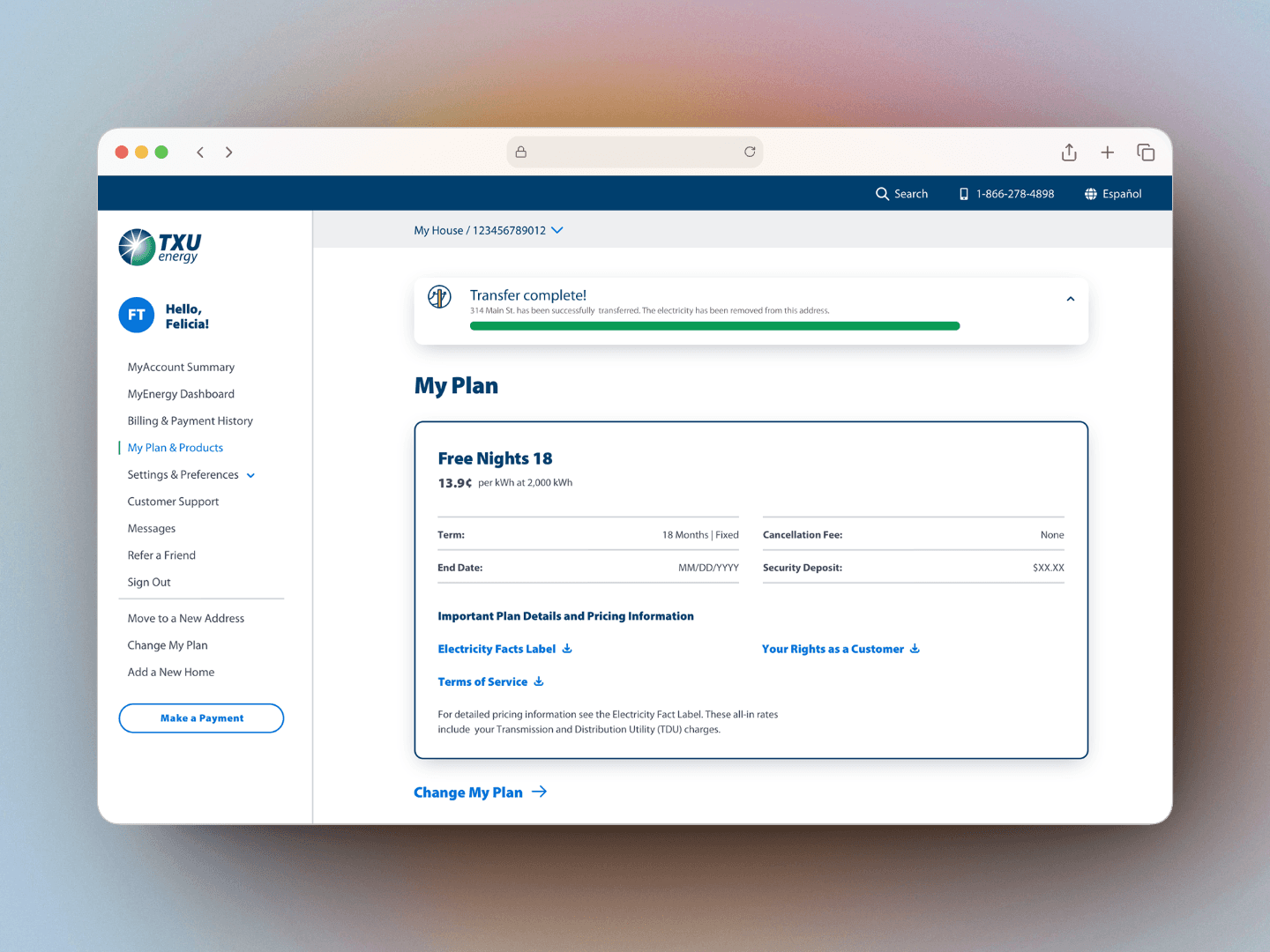
We introduced a four-state progress indicator that appears at the top of the user’s plan page. This real-time visual gives users confidence about their service transfer, showing where they are in the process:
Transfer Order Placed
Service Scheduled
New Address Energized
Transfer Complete
Each state includes plain language, a status bar, and relevant instructions (e.g., “Call us if you need to change the date”). The component is collapsible to avoid interfering with the rest of the page content.
Conclusion.
The Transfer Tracker transformed a black-box process into a clear, guided customer experience.
By showing users exactly where they are in their move journey, we not only reduced calls — we built trust.
This feature is a strong example of how design transparency leads to efficiency and customer confidence.