INDUSTRY:
Public Utilities
CLIENT:
Ambit Energy
Ambit Energy App
170K+
32%
About.
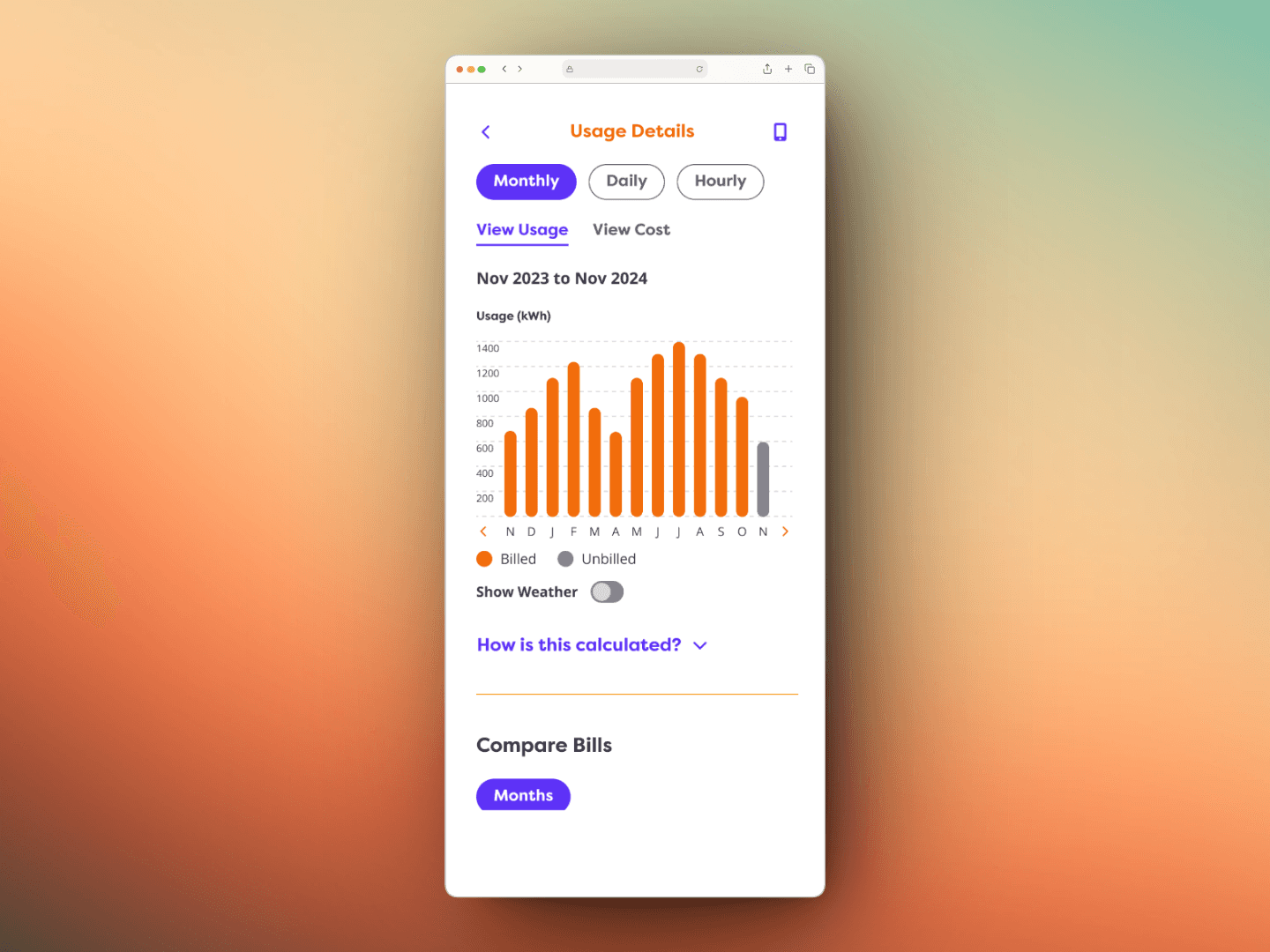
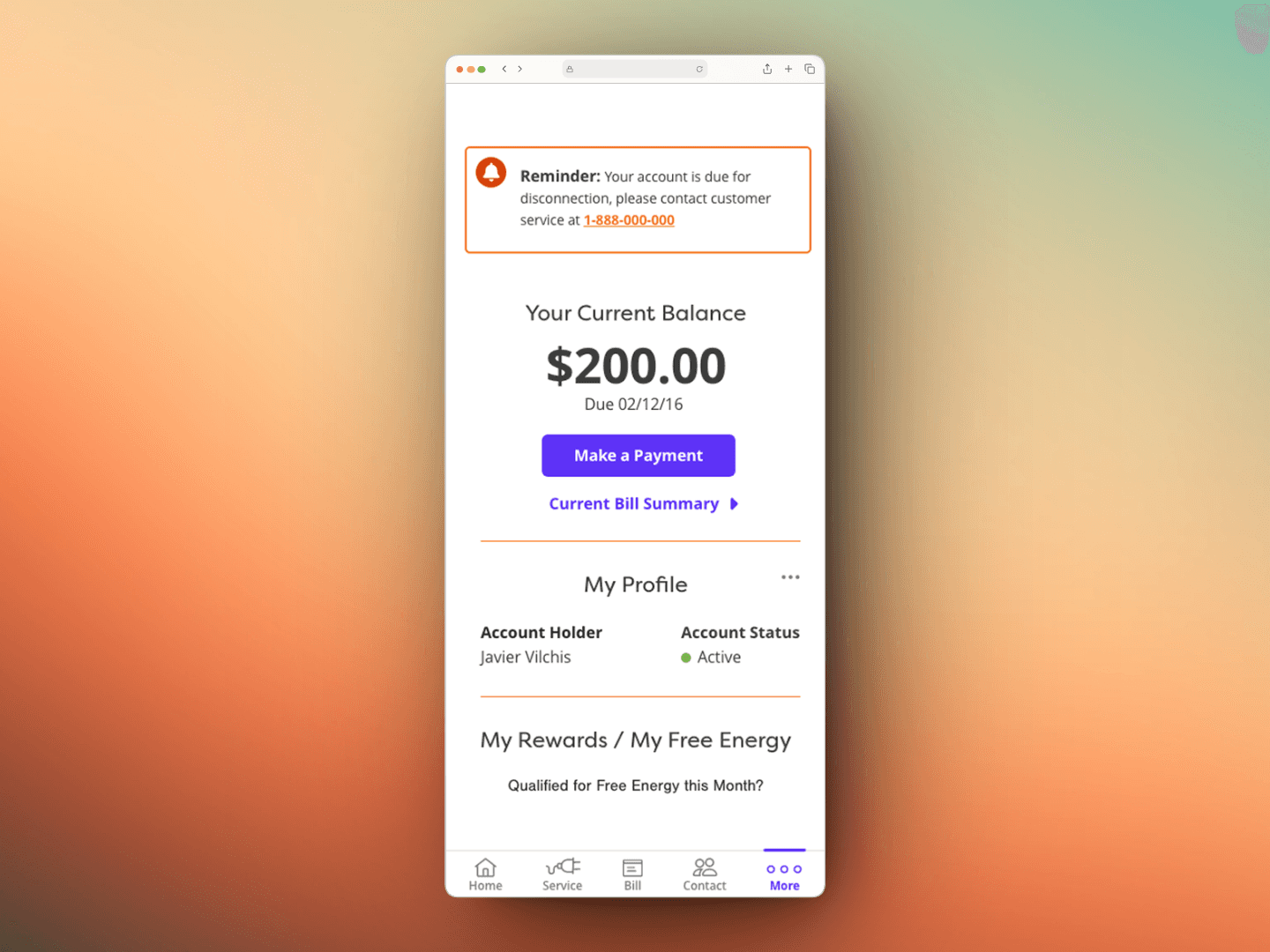
Ambit Energy launched a new mobile app to allow customers to manage their accounts, view usage, and make payments. Early user testing revealed that the design caused unnecessary friction. The biggest pain points were redundant CTAs and lack of essential account information upfront.
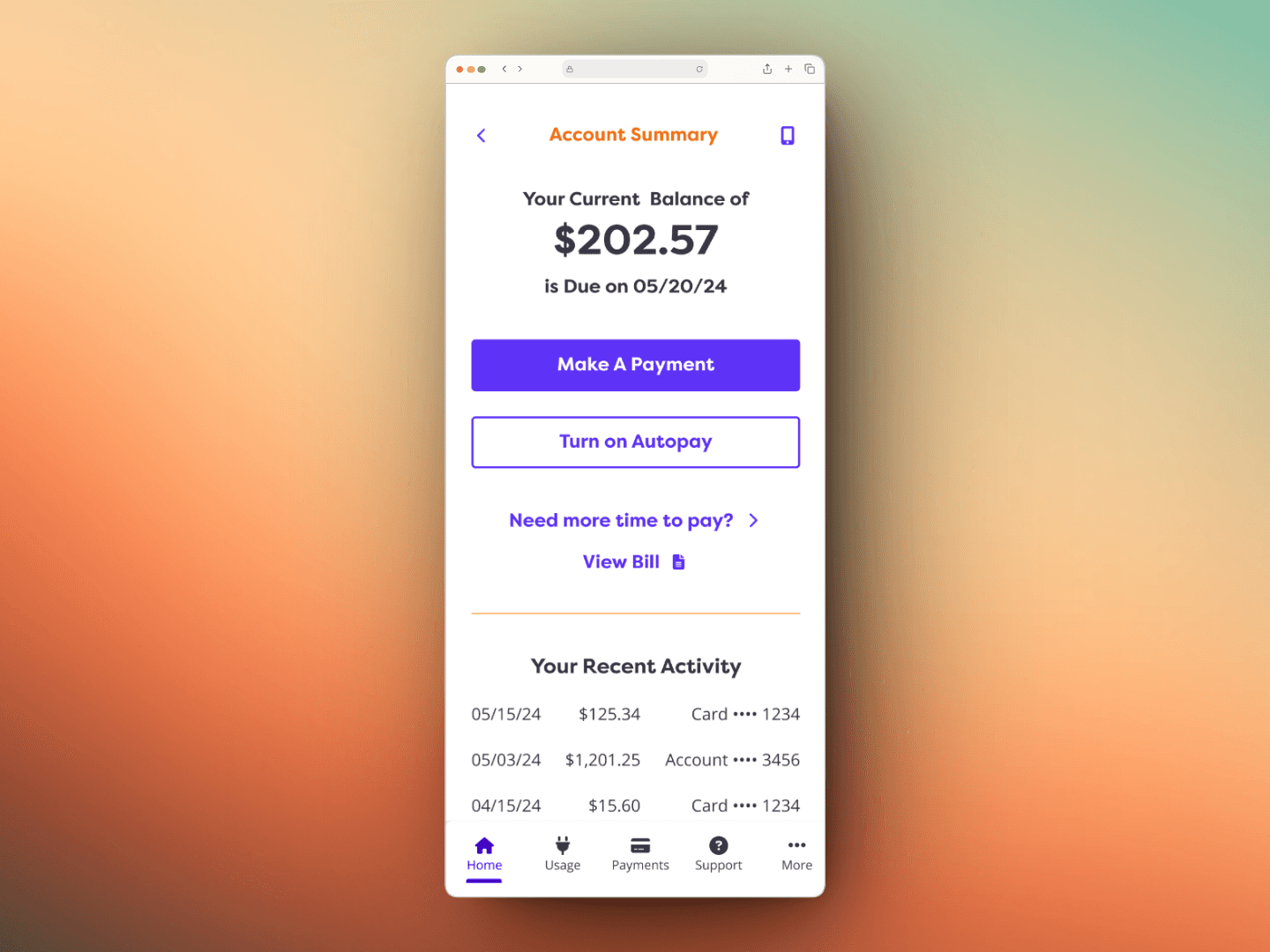
Our redesign improved navigation, introduced a clear visual hierarchy, and optimized the home screen for quick account insights while streamlining the payment process.
Overview.
"I see a payment button on every screen, but i can't find my summary."
Customers were frustrated by:
Redundant “Make a Payment” CTA on every page, creating clutter and cognitive overload
Limited account summary on the home screen, forcing users to click deeper for details
Over-prioritization of payment over other key features like usage insights and billing history
Our challenge was clear: reduce friction, surface critical information, and create a sense of control without overwhelming users.
Identifying Areas of Improvement.
Through user interviews and testing, we identified three major problems:
Every Page Looked the Same
Persistent “Make a Payment” CTAs on every screen created visual noise.
Essential Info Was Buried
Users had to navigate 2+ screens to see recent transactions and usage.
Design & Accessibility Conflicts
Overuse of brand orange reduced ADA contrast compliance, frustrating users with visibility challenges
We also faced internal constraints:
Leadership didn’t want a “radically different” app only six months after launch
Developers were initially limited to a single font family
Challenges.
We didn't want it radically different from the first iteration, since we released the initial app 6 months ago.
I had to discover how to incorporate more items from the website without having it too cluttered.
The orange was requested to be used more, but in many cases it didn't meet ADA compliance.
My Role.
UX/UI Redesign Strategy
Wireframing & Prototyping
User Testing & Iteration
Design System Alignment
Developer Handoff
The Designed Solution.
To transform the experience, we focused on clarity over clutter:
1. Streamlined Navigation
Removed redundant CTAs and redefined where “Make a Payment” belonged
Created distinct page layouts to avoid the “every screen looks the same” issue
2. Optimized Home Screen
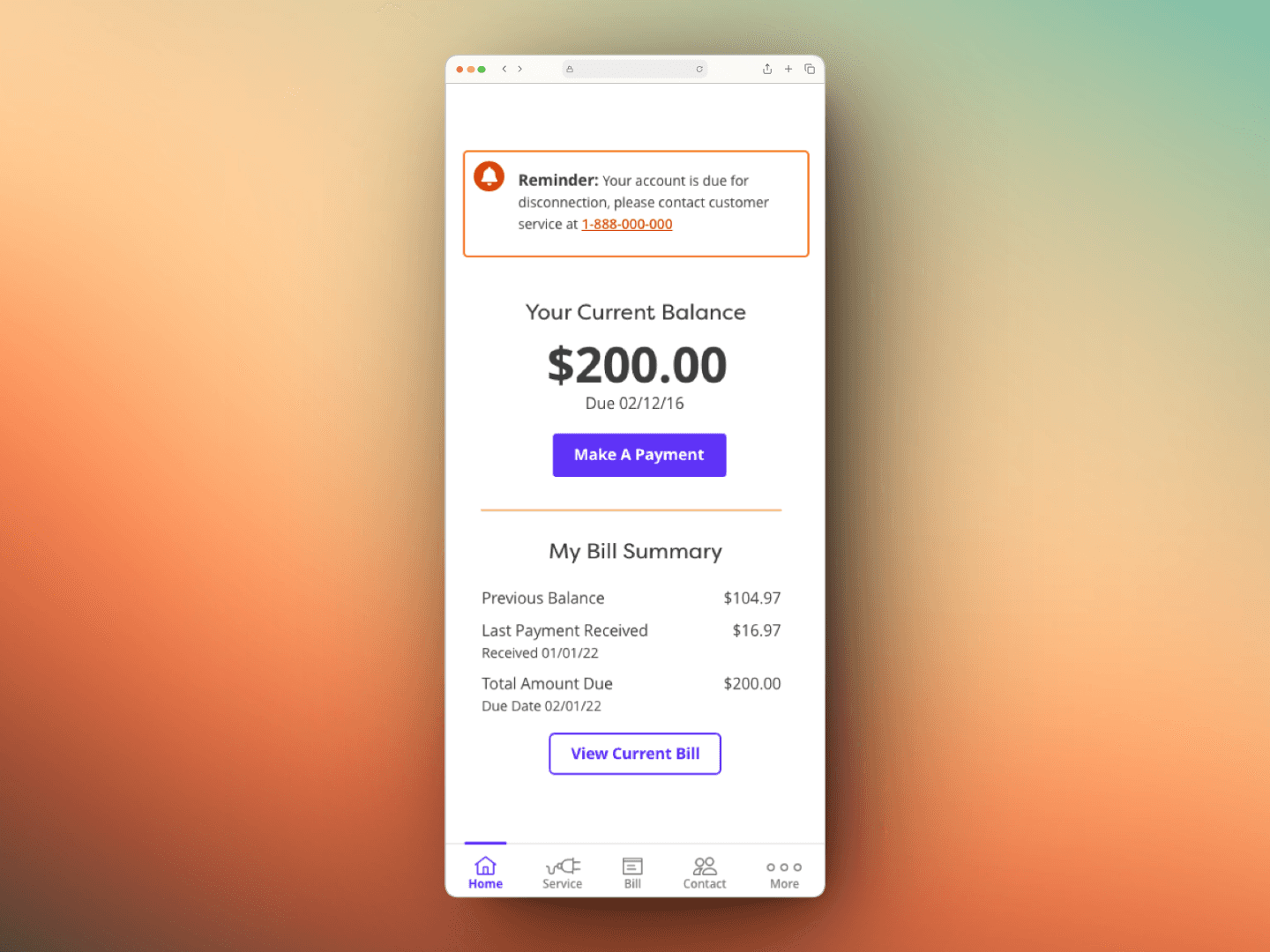
Added current balance and due date to the top
Included recent activity and usage summary—features users requested most
Enlarged CTA buttons for better tap accuracy
3. Contextual Payment Flow
Payment now lives on the Account Summary and dedicated Payment Page only
Pre-filled payment amounts and Apple Pay/ACH support simplified the process
4. Accessibility & Visual Hierarchy
Increased ADA compliance to 100% on primary flows
Conclusion.
Gave all customers a tangible reason to feel good about their usage
Users found the Make a Payment option in under 2 seconds without redundancy
Task completion time for reviewing account details dropped by 30%
Feedback: “I can see everything I need on the home screen now.”
Redesigned structure became the baseline for Ambit’s mobile design system
This project reinforced a core UX principle: removing friction is as powerful as adding features.
By focusing on clarity, accessibility, and user priorities, we transformed an app that felt like a payment portal into a tool users trust and return to.